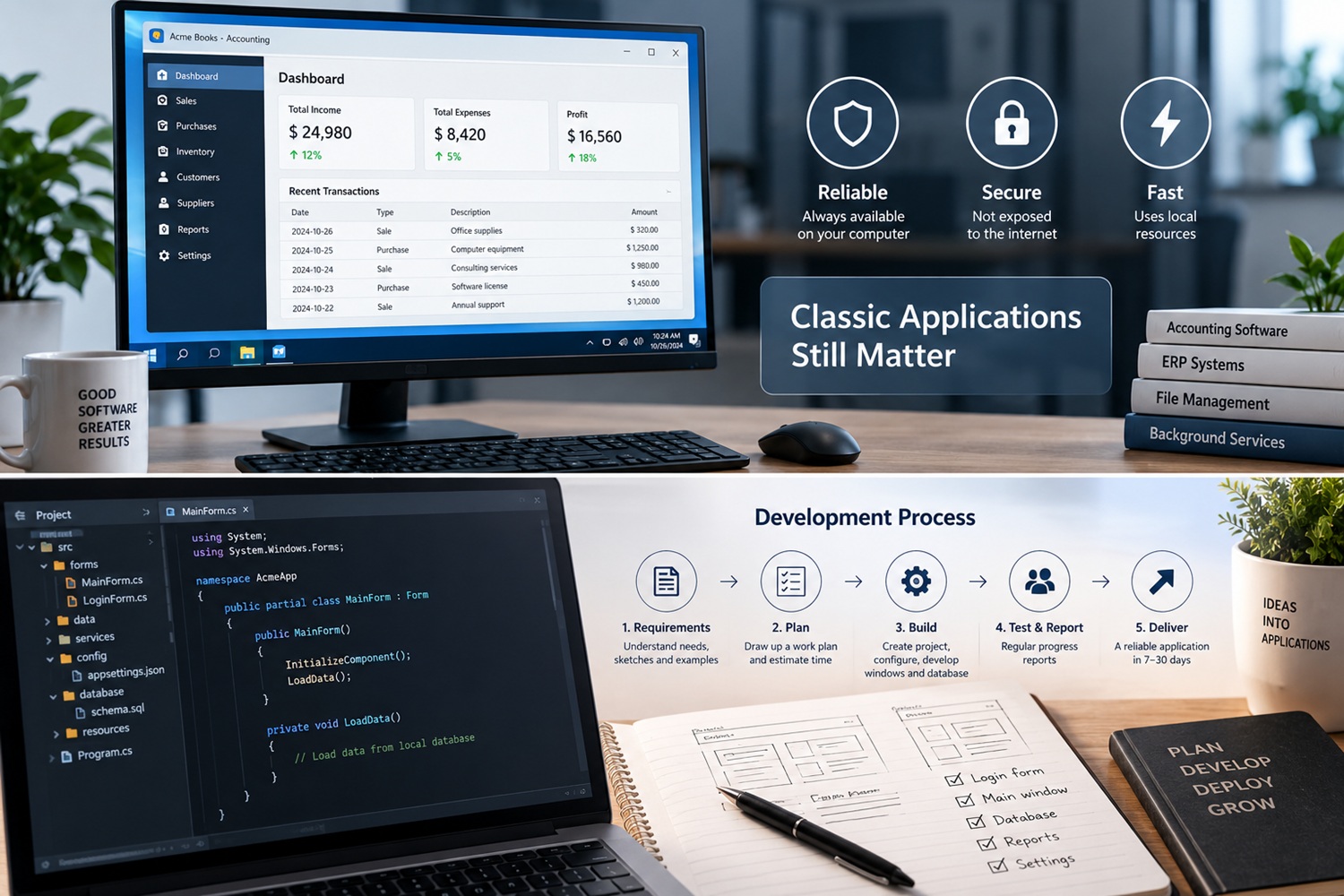
The advantages of classic applications
The first advantage of classic applications is reliability: since they mostly do not depend on an internet connection, they are available as long as they are installed on the computer. The second is security: a program that is not exposed to the internet has fewer points of attack than a website or a web application. The third is speed: classic applications run on a single computer or in a local network and use its resources directly, so they are often faster than web applications.
For a broader picture of what programming involves, the Wikipedia article on computer programming is a good starting point.
What classic applications are mainly built?
Precisely because of these advantages, classic applications today are most often built as accounting software, ERP systems, file handling programs and tools for internal business processes. For Windows, C# and .NET (Windows Forms and WPF) are the most common choice today, and an overview of the languages used for other kinds of programs is given in the article on the most popular programming languages.
Service (background) applications
There is also a subgroup of service (background) applications, known on Windows as services, which run in the background of the system without a user interface: they watch folders, process data on a schedule or connect programs with other systems. Web applications cannot replace them, because their purpose is entirely different.
Time required for development
Depending on the type and scope, developing a simpler application roughly takes from 7 to 30 days. A classic application is often built faster than a web application with the same purpose, because it does not depend on servers, hosting and the other services a web application cannot run without.
How does development usually proceed?
Programming is a precise craft, and the quality of the result depends heavily on how well the requirements are understood at the start. Descriptions of the intended use, sketches and examples of similar applications already on the market greatly reduce the guesswork later. The more situations are resolved before development starts, the fewer fixes are needed afterwards.
Once the requirements are clear, a simple plan is drawn up, the development time is estimated and the work begins. Developing a program roughly looks like this:
- Creating a project in the chosen programming language and building the main form, along with a login form where one is needed
- Configuring system parameters and loading them into the program
- Creating a database, local or networked
- Developing the main application window
- Developing the remaining windows
When an application is used for database access, its windows generally contain the following elements:
- Panels for grouping and separating controls such as buttons and lists
- Menus, both at the top of the window and attached to individual controls
- Lists for displaying data, through which it is determined which records will be changed or deleted
- Buttons for actions such as saving data
Throughout development, regular progress reports and plans for the following period keep everyone involved aligned on what is being built and why.
Want me to build a Windows program for you?
I build desktop programs and service applications from the first conversation to installation: data entry and review, reports, workflow automation and integration with other systems. Prices are public, so you know what it costs before you order.
Leave a Comment